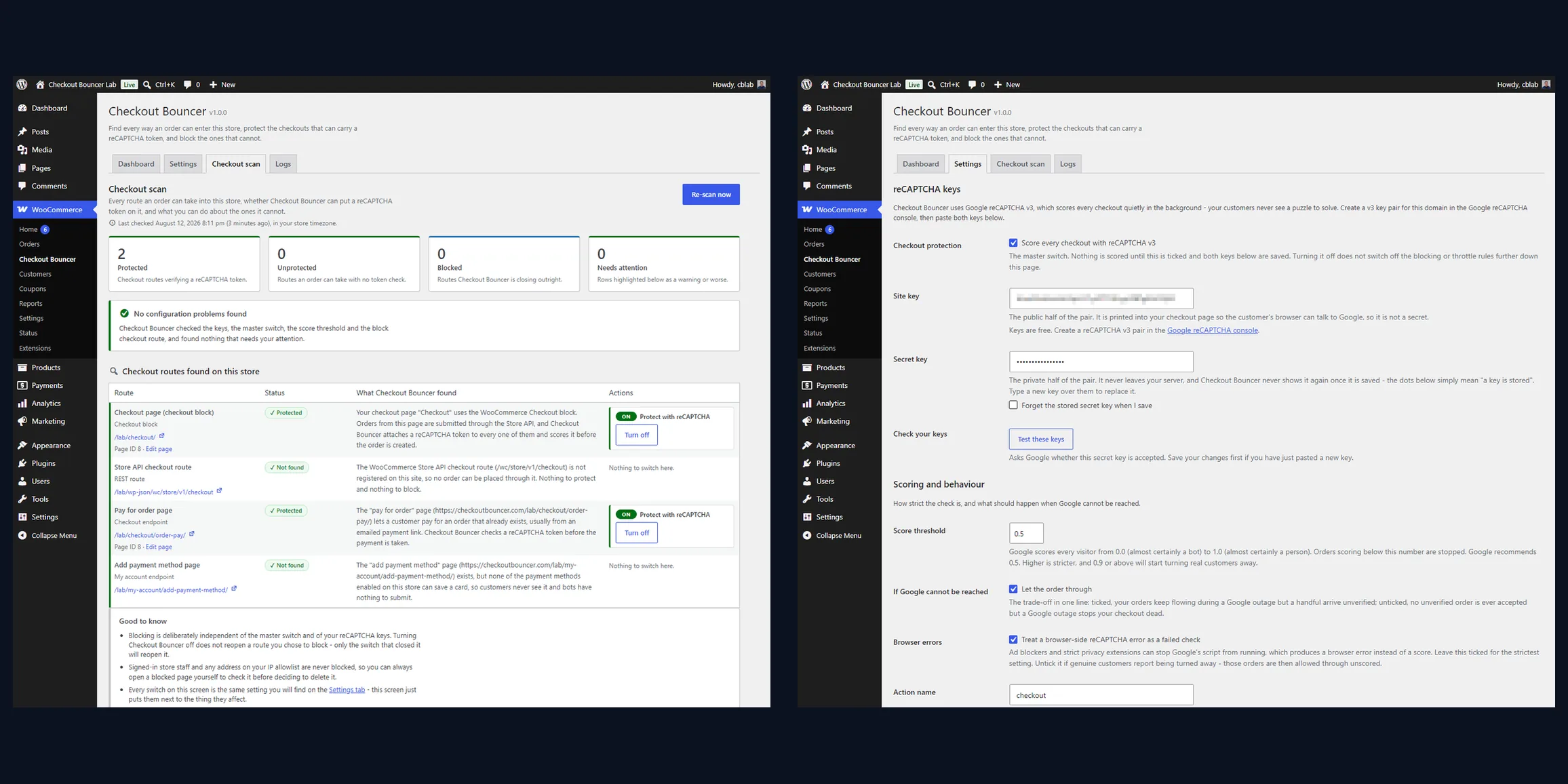
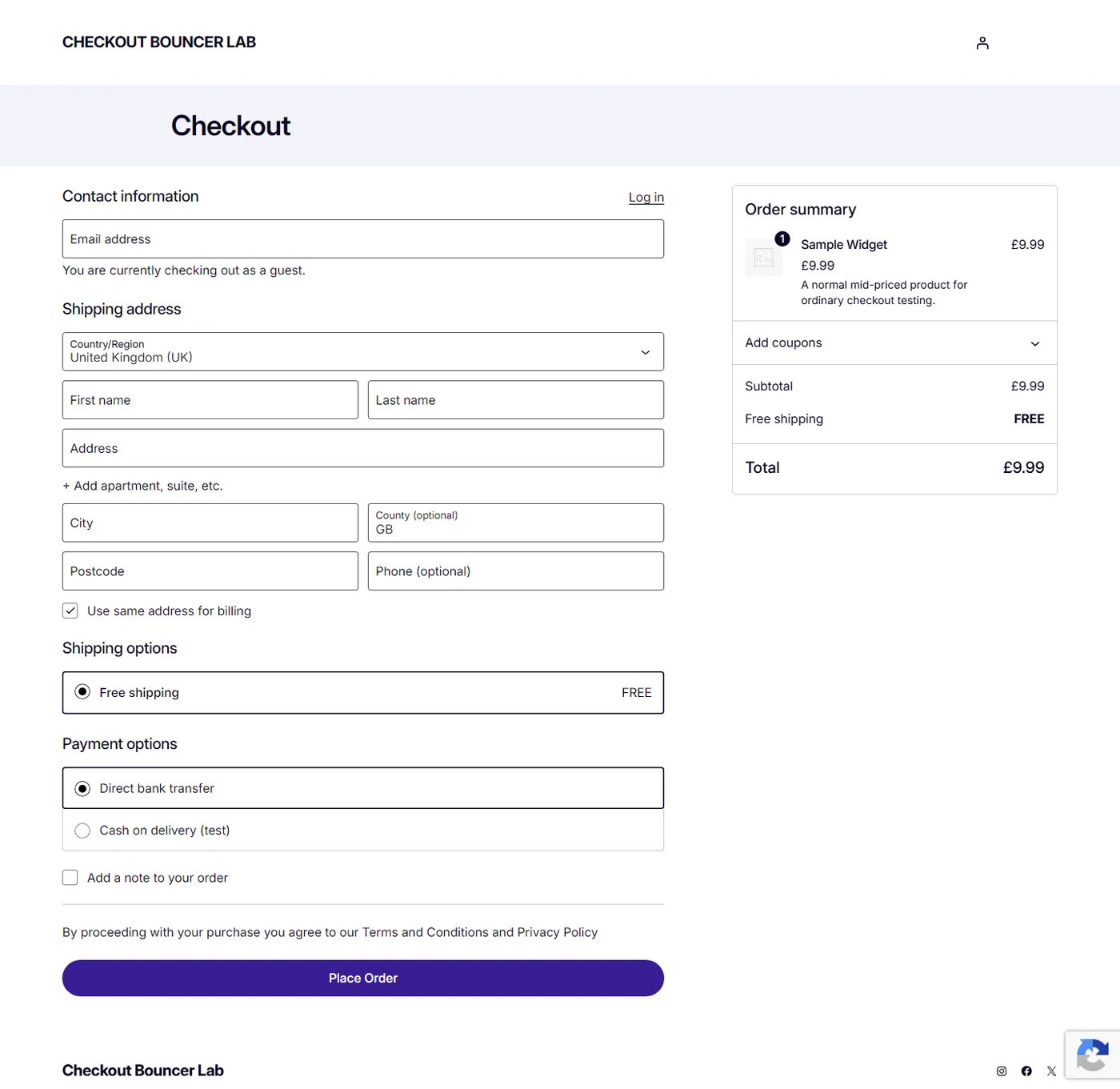
A checkout is the one page on a store that anyone on the internet can submit to, repeatedly, for free, which is exactly why card-testing bots live there. Because most captcha plugins only hook the classic checkout form, they stop working the moment a store switches to the WooCommerce Checkout block. That block does not submit a form at all. It posts JSON to the Store API, and a plugin listening on woocommerce_checkout_process never sees the request. The route stays open even on stores whose visible checkout still uses the classic shortcode, so a bot does not need your checkout page. It only needs the route.
Why we built this WooCommerce reCAPTCHA plugin around a scanner
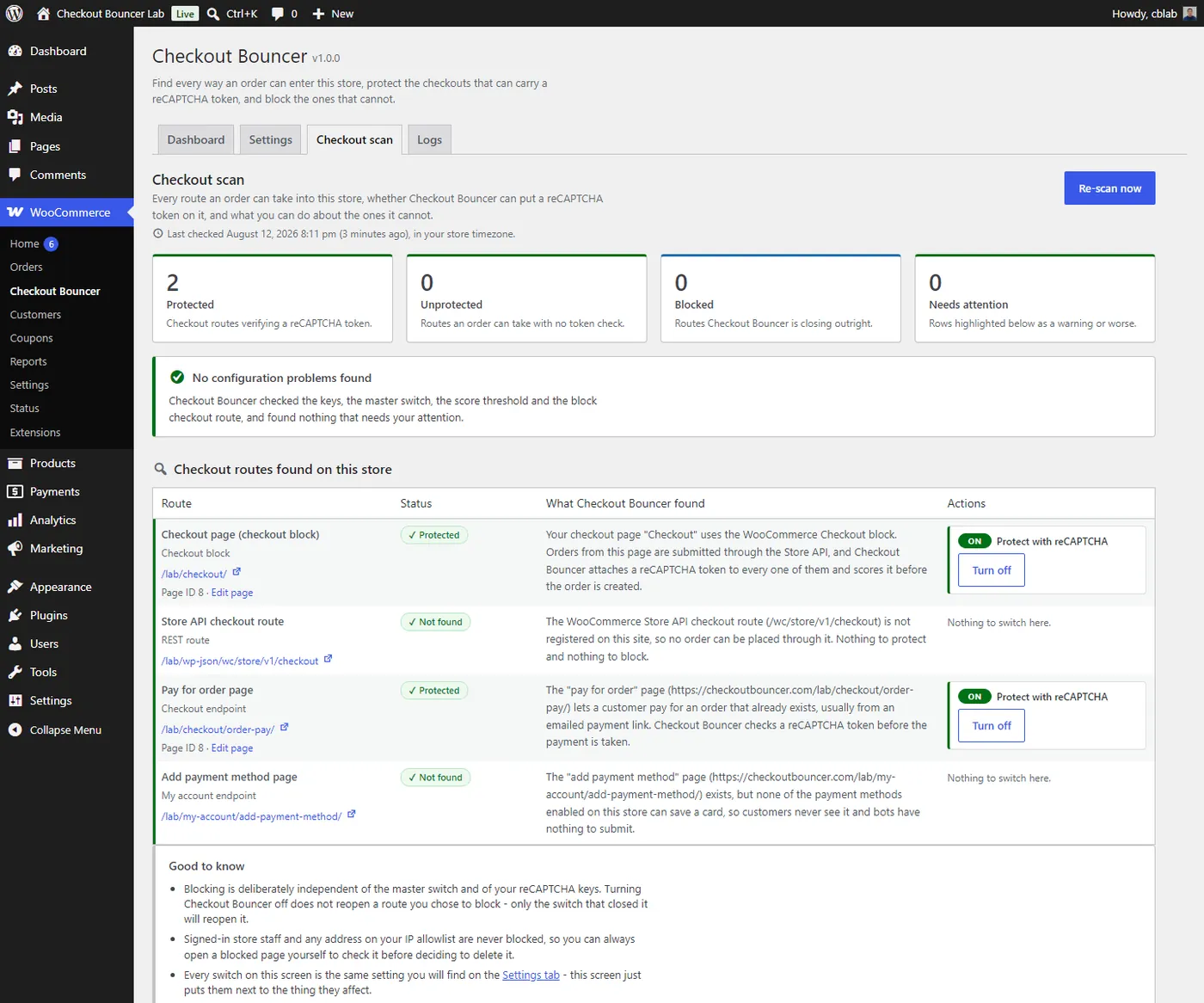
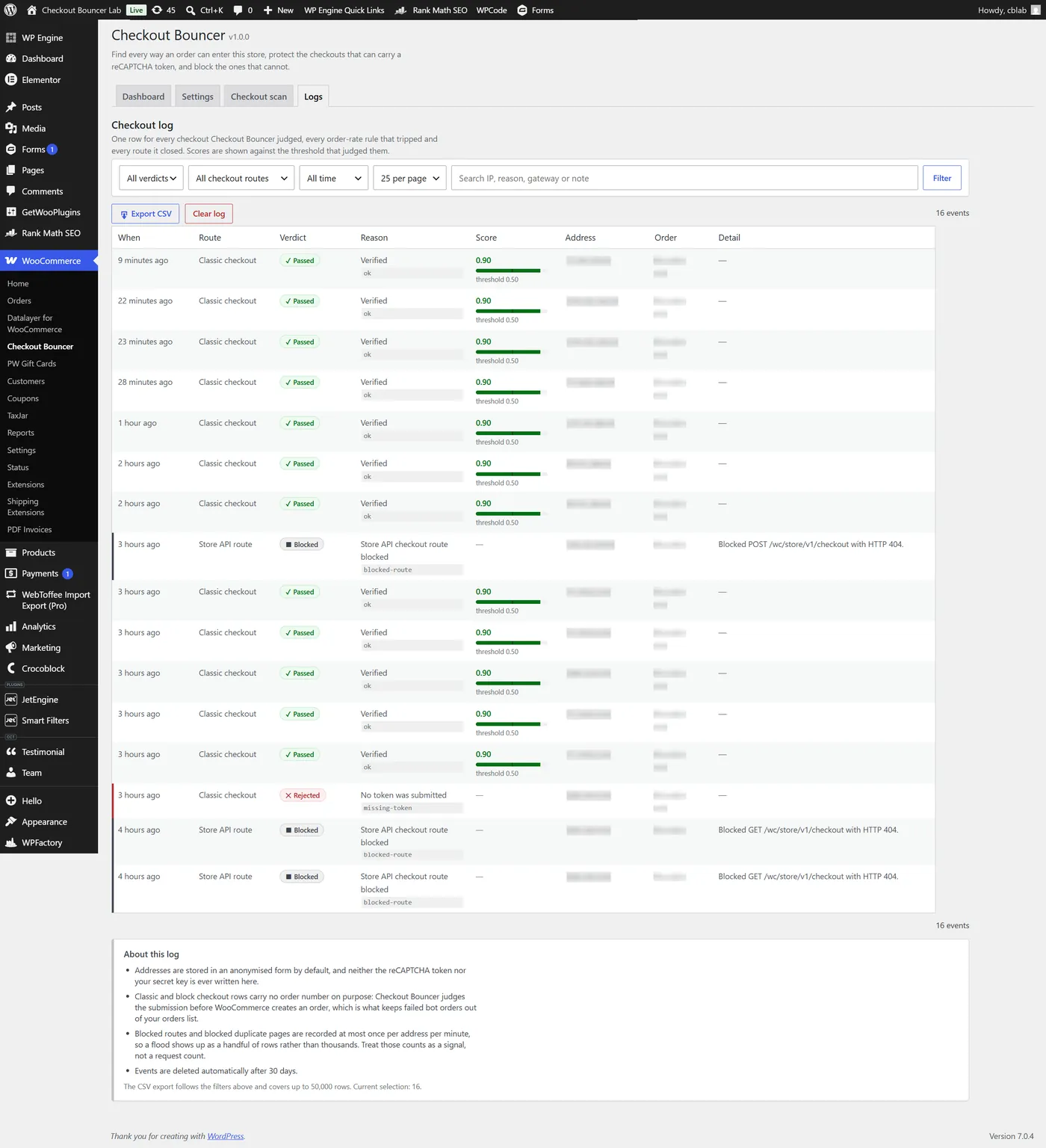
Rather than ship another captcha checkbox, we built the scanner first. Checkout Bouncer opens the store, works out how the checkout is actually rendered, and reports back in plain English. It recognises the Checkout block, the classic shortcode, and layouts built in Elementor, Divi, WPBakery, Beaver Builder, Bricks or Oxygen by looking inside the builder’s own saved layout. It resolves the Store API route, the pay-for-order page and the add-payment-method endpoint, and it hunts down rogue duplicate checkout pages left behind by theme demos and staging copies. Every route it finds carries a severity and a one-click Protect or Block.
When a token has nowhere to travel
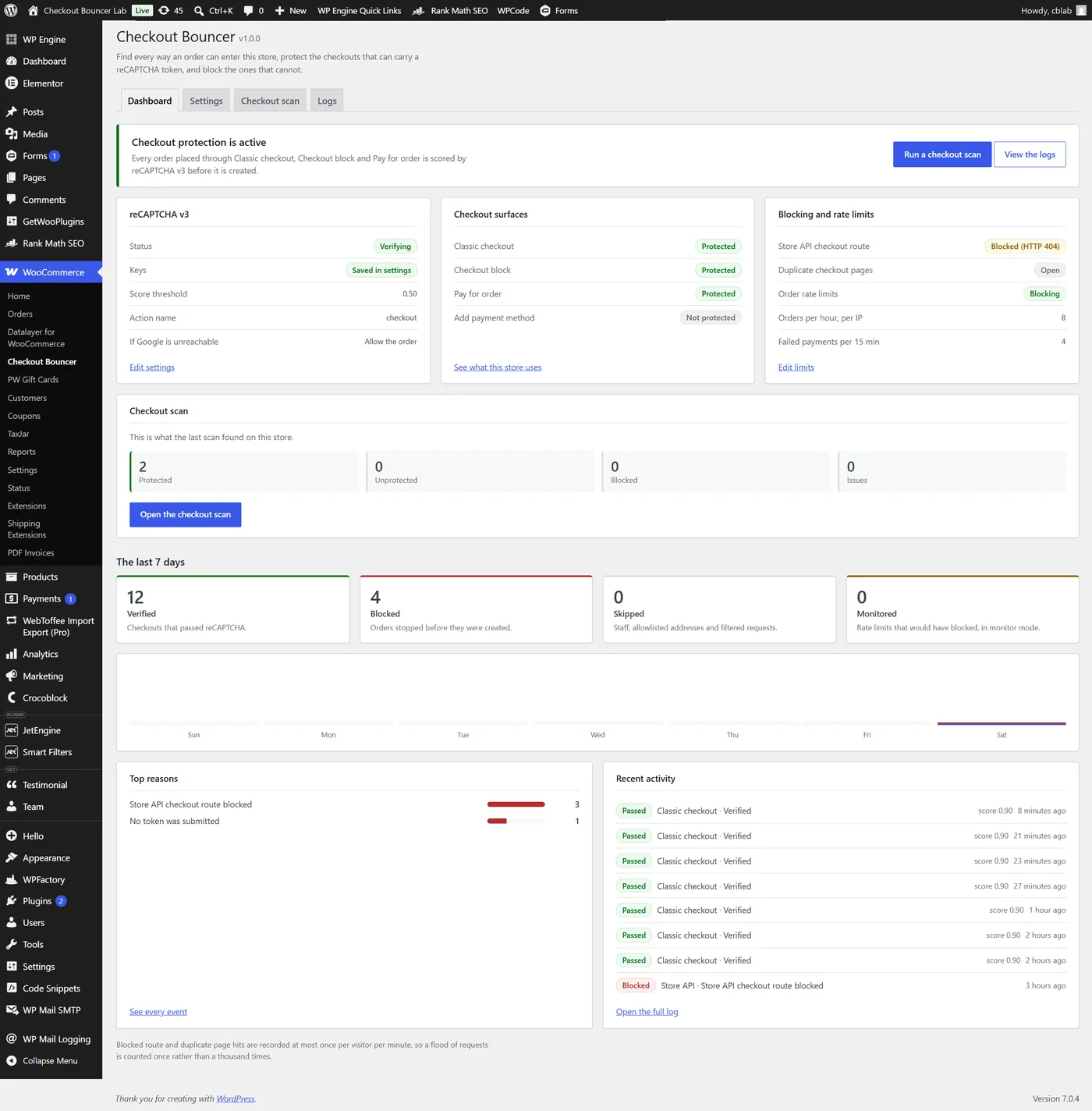
The complication was that not every route can carry a token. reCAPTCHA needs somewhere to attach one, and a Store API route hit directly on a store that checks out through the classic form has nowhere to put it. So the plugin registers proper Store API extension data where a token can travel with the order, and where it structurally cannot, it offers to return a 404 or a 403 for that route instead. Store staff and allowlisted addresses are always let through. Detect, protect, block, in that order.
Throttling, allowlists and anonymised logging
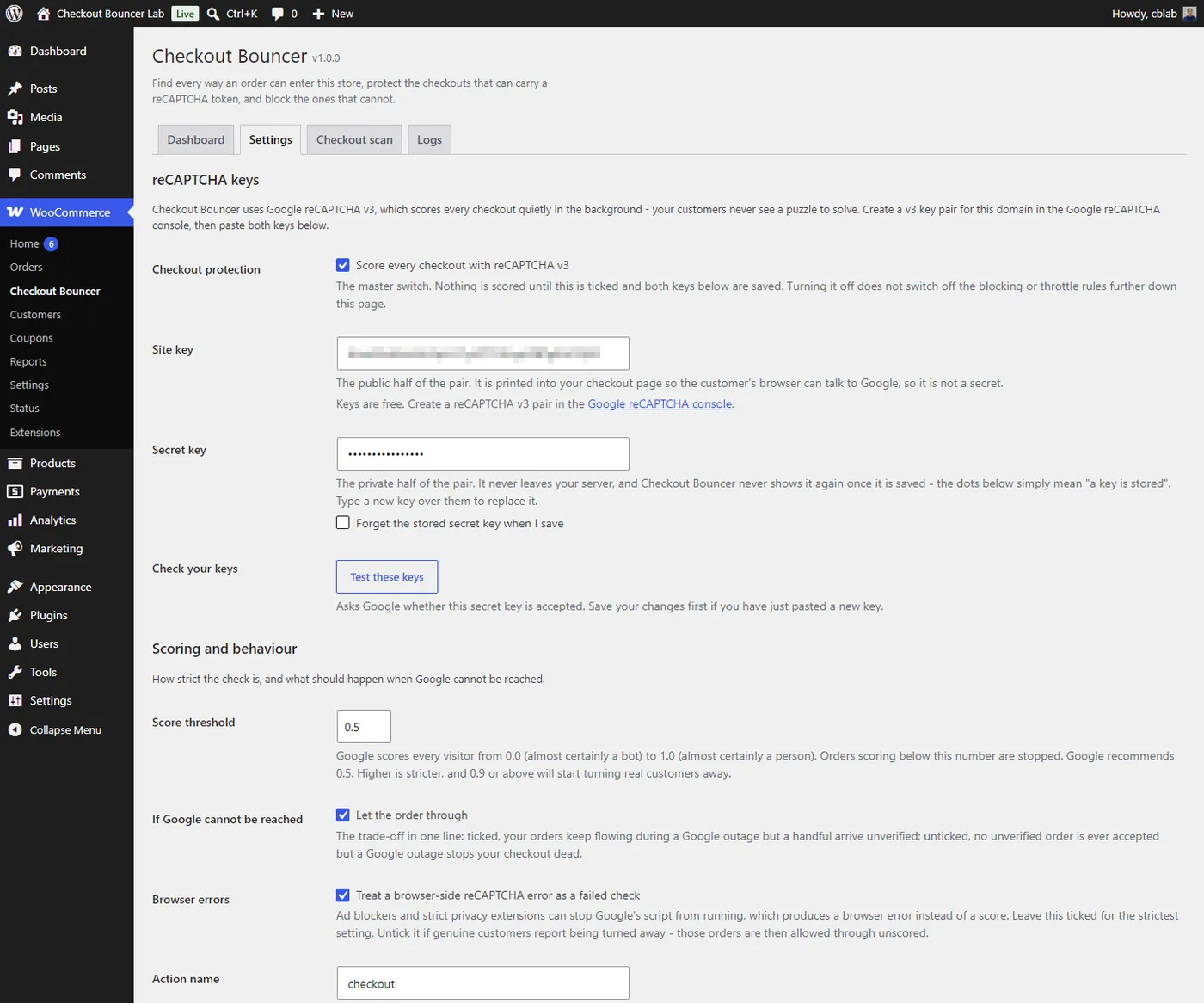
Around that sits a gateway-agnostic order-rate throttle with a monitor mode that records without blocking, an events dashboard with seven-day statistics and CSV export, per-gateway targeting, an IPv4, IPv6 and CIDR allowlist, and fail-open handling so a Google outage does not become the store’s outage. Client addresses resolve from REMOTE_ADDR only unless a filter explicitly opts into a proxy header, so an allowlist entry cannot be reached with a spoofed one. Logging is anonymised throughout: hashed throttle buckets, salted email digests and a daily retention purge.
The result is a WooCommerce reCAPTCHA plugin that treats a checkout as a set of routes rather than a single page, and closes each one on its own terms. We also designed and built the Checkout Bouncer product site and its custom WordPress theme.
For a related caching problem on WooCommerce, see how we fixed a YITH quote counter stuck behind WP Engine cache.